What is in the eBook and Who/Why should read ?
Even though MS Project desktop contains
plenty of the data fields in various types
and categories presenting the planned,
scheduled and actual project data
interpreted in many different ways to the
users, one might still need some custom
information that is not directly available
in the existing fields. MS Project desktop
(that is, the standalone desktop versions of
MS Project's Professional/Standard editions) is a highly customizable application such
that it enables you to build your own formulas
in the custom fields in order to perform
further operations on the existing project data to
produce some new project data needed. This feature
was added to the product with the version,
MS Project 2000.
Enabling users to process a project’s task
and resource data in further ways through
the expressions entered as formulas to
various types of custom fields is one of the distinguishing
features of MS Project desktop.
You
can read the sample content pages from
the eBook Mastering Custom
Field Formulas in MS Project desktop
here in order to learn more about the
benefit of calculating custom project data
by using the custom field formulas and some
other useful applications of the custom
field formulas.
The eBook
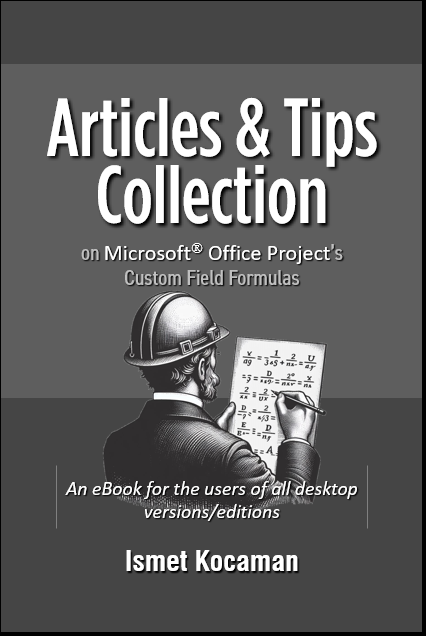
Articles & Tips Collection on MS
Project's Custom Field Formulas presents a
collection of
selected articles and tips on the custom field formulas that have
been published in various platforms and
many MS Project-related websites, and
posted in many MS Project-related forums, by
the author since
2010. While the eBook Mastering Custom
Field Formulas in MS Project
desktop
dives into this feature, the articles and
tips in this eBook show various ways to make use of the custom
field formulas while working on the project
data. Any
professionals who currently use any desktop versions/editions of
MS Project, that supports the feature, as a project management
application while managing projects may benefit from the content
presented in this eBook.
Here is the list of
articles and tips that the eBook contains:
Using
Author and Subject Fields to Pass Data to
Formulas
Understanding Assignment Calculations
Quick and Simple Way to See the Resources
with Assignments Starting Next Week
Listing Number of Task Assignments for
Resources
How to Find the Number of Days Between Task
Finish Dates and the Fiscal Year’s End
How to Create a Fiscal Year to Date Filter
Handling Default Start/End Times in Project
Schedules with Task Calendars
Graphical Reports / Burndown Charts
Displaying Task and Resource Information in
a Graphical Report
A Report Listing Overallocated Resources
Displaying Project’s Start and Finish Dates
in Graphical Reports
Creating a Custom Graphical Report: Work
Distribution Report with Hours and
Percentages
How to Create a Task Table with Indicators
Column in a Graphical Report
Is it a Whole-Day Duration ?
How Does the “Milestones Due This Month”
Filter Work ?
Filtering Project Data - Filter versus
Formula
Filtering Project Data - Handling "the entry
is not valid" Error in Custom Task Filters
Change a Task Bar's Style Based On the Value
Selected from a Lookup Table
Some formulas performing rounding on the
positive (or negative) dollar amounts
Handling the Planning Wizard’s Settings
Display the Status Date Just Below the
Timescale
Project Options Dialog Box - What we need to
know about the settings
How to Calculate the Date of a Particular
Day in a Month
How To Calculate Date of the Next Particular
Weekday Based on any Date
Improving the Visibility of the Group-By
Summary Bars
How To Display the Total Cost for the
Selected Task Assignments of a Work Resource
Calculating Material Resource Costs
Separately
Displaying Per-Use Costs Separately
A Formula for Negative Cost Representation
Calculating Fixed Costs for Resources:
Cost/Assignment and Cost/Calendar Day
Bottom-Up Planning with Manual Scheduling
Status and Task Mode Indicator Formulas
Search on the WBS field by using special
operators
How to Handle Durations as Seconds in MS
Project
What is the difference between %Complete and
CompleteThrough ?
Why Not Use the Stop Field To Draw the Task
Progress Bars ?
How Does MS Project Calculate Progress on
Summary Tasks ?
How to show progress on summary tasks
Displaying Summary Durations in Elapsed
Units
VBA Methods similar to the Built-in
Functions in the Project category
Project VBA Macro: Listing Resources’
Overallocated Dates and Hours in MS Excel
Project VBA Macro: Finding All the 53rd
Weeks in MS Project
Tips on MS Project
Using XOR in
Formulas
About the Inactive Tasks in MS Project Standard
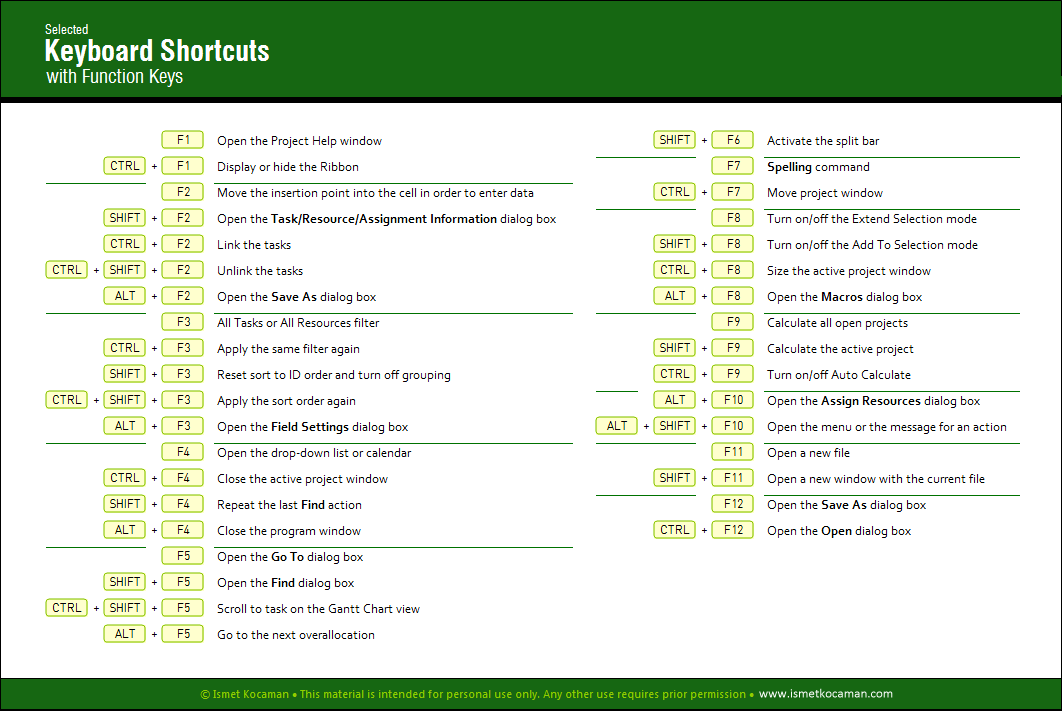
Keyboard Shortcuts - Using the function key F2 while
inputting information into a cell
Using the mouse to indent or outdent task(s)
Getting a list of all custom field formulas
Just for fun - Flag field with emoticons
Defining a working time pattern (recurring) for a task that
can only be performed on <the second
Thursday of every Month> and <between 08:00
pm and 09:00 pm>
How to display Baseline Milestone Tasks on the Timeline
A simple formula to check to see whether a resource's
calendar differs from the project calendar
How to use a custom image to represent a key milestone in the
Gantt graph
How to format individual Gantt Chart bars, based on a
resource assigned
A Simple RAG Indicator without a formula
How to restore a custom table modified to the original one
automatically
MS Project may use a title name different than a field's name
in a table
Be careful while grouping the project data in a filtered
table
Formula to find tasks with four or more predecessors
String Addition Operation in a Custom Field Formula
How to create a "Tasks Due Today" filter that automatically
gets the Current Date
How to display dates in two different formats in a table
How to use the task calendars to schedule the work of two
teams based on 12-hour shifts
How to remove a soft constraint quickly
How to split a task by using the mouse
Some date-related Custom Field Formulas for Month, Year, Year
to Date
Show Dates on the Gantt Bars
About the logic in the expressions of the custom field
formulas
Using the flag field Summary
The fastest way to split a view in later versions of MS
Project
How to display Work in two different units |
Important Note
-- Each article/tip in the eBook was tested
with the latest updated version of the
desktop product at the time of producing the
content. But the reader must be aware of the
fact that any new
version of the desktop product released
may include minor
and/or major changes to
any features, without any
public announcement. Therefore,
always check the changes in the features
across the versions if any feature described in any article/tip
functions differently on the
version of the desktop product that you are
currently running -- |
Some articles on the earlier versions are available to read below:
Some
visual materials:
Visual materials
on MS Project 2007:
Watch the video for the article How to Create a Task Table with Indicators
Column in a Graphical Report
here
Watch the video
here to see
how the test producing the demo screen shown
at the end of the article How Does MS Project Calculate Progress on
Summary Tasks ? works
Other videos:
Creating a Custom Filter in Project 2013 and
later: This Week’s Tasks
Creating a Custom Report in
Project 2013 and later: This Week’s Tasks
Other Details on the eBook
The eBook
contains 500 pages. There is no printed version of this eBook.
The mpp files for the eBook are not
available to purchase.
The details on the electronic book
format of the eBook are as follows:
-
Page size of the eBook is 8.5 x 11
inches (Letter-sized pages with Landscape
orientation).
-
The
eBook is in pdf format.
-
The
eBook can be viewed by any pdf reader.
How to
Buy the eBook in PDF format
Important Note to Purchasers - All sales are final.
The purchase of this eBook is
not refundable and
no returns
are accepted for this eBook. Therefore,
review the details explained above and the
sample content here on your computer system thoroughly and make sure that both the
content and the
format suit your needs before
attempting to buy the eBook.
Click the ordering button below if you want
to purchase the eBook in pdf format (Price:
US$29.99). You will
receive an email with the download
link as soon as you complete
your purchase.